What?
A tool that monitors servers, switches, access points, clients and services – with real network checks.
NETORYX monitors servers, switches, access points, clients and services – on your own server: Ubuntu, Debian, Docker or Windows Server. No cloud, no third-party servers. Just your network and you.
Animated sample output: NETORYX is installed on Ubuntu with wget, unzip and install.sh.
What is NETORYX?
NETORYX is self-hosted network monitoring. It runs on your own server inside your network – on Ubuntu, Debian, in Docker or on Windows Server – and checks around the clock whether your devices and services are reachable and how they are doing.
If something goes down, you see it instantly on the dashboard and, if you like, get an e-mail or a webhook. Everything stays in-house.
A tool that monitors servers, switches, access points, clients and services – with real network checks.
Because monitoring does not have to be complicated, expensive or cloud-dependent. Data about your network belongs in your network – not on someone else’s servers.
One script sets everything up – on Ubuntu, Debian and Windows Server; with Docker a single command is enough. After that, everything happens in the browser: add devices, pick checks, done.
Screens
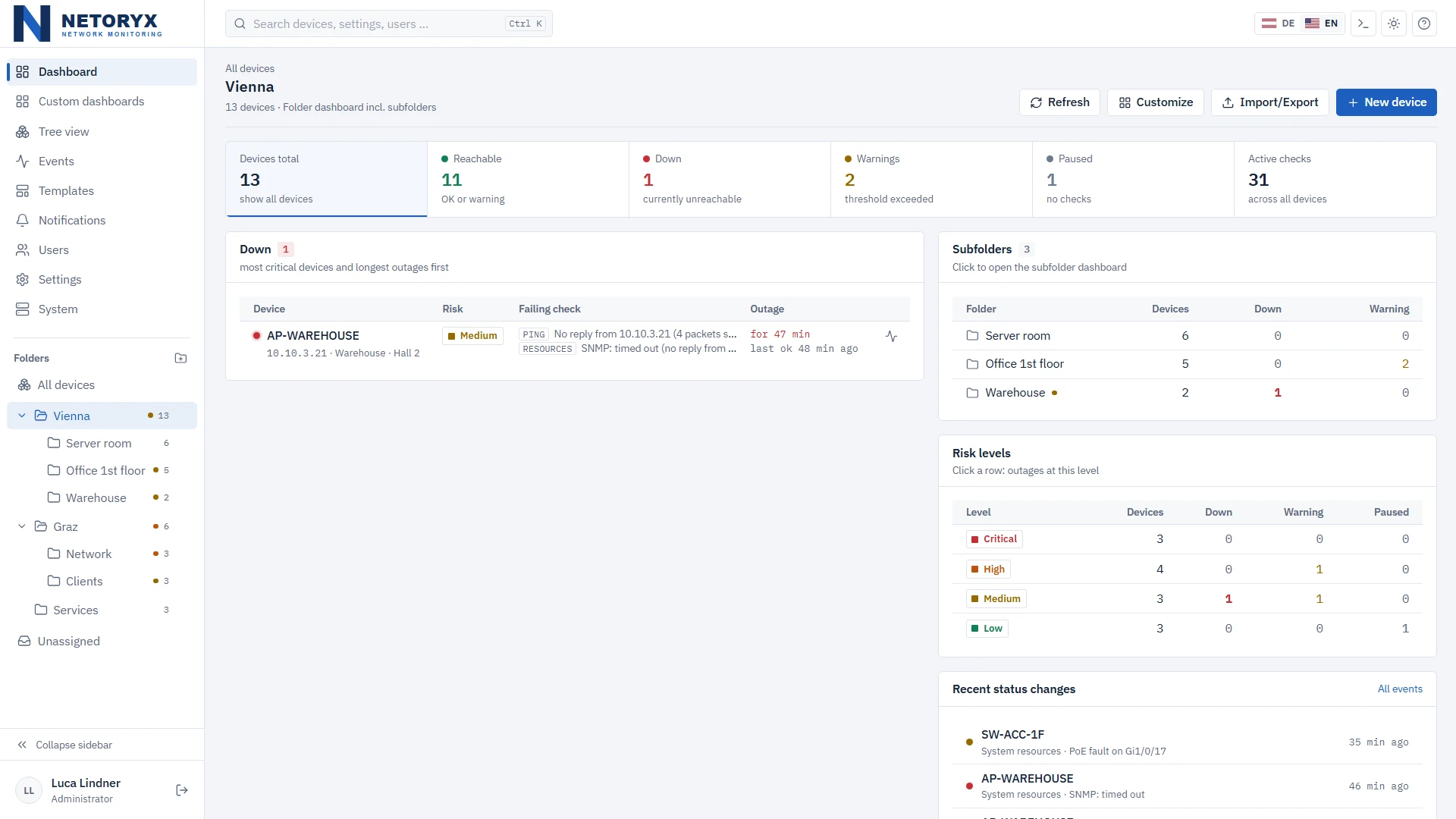
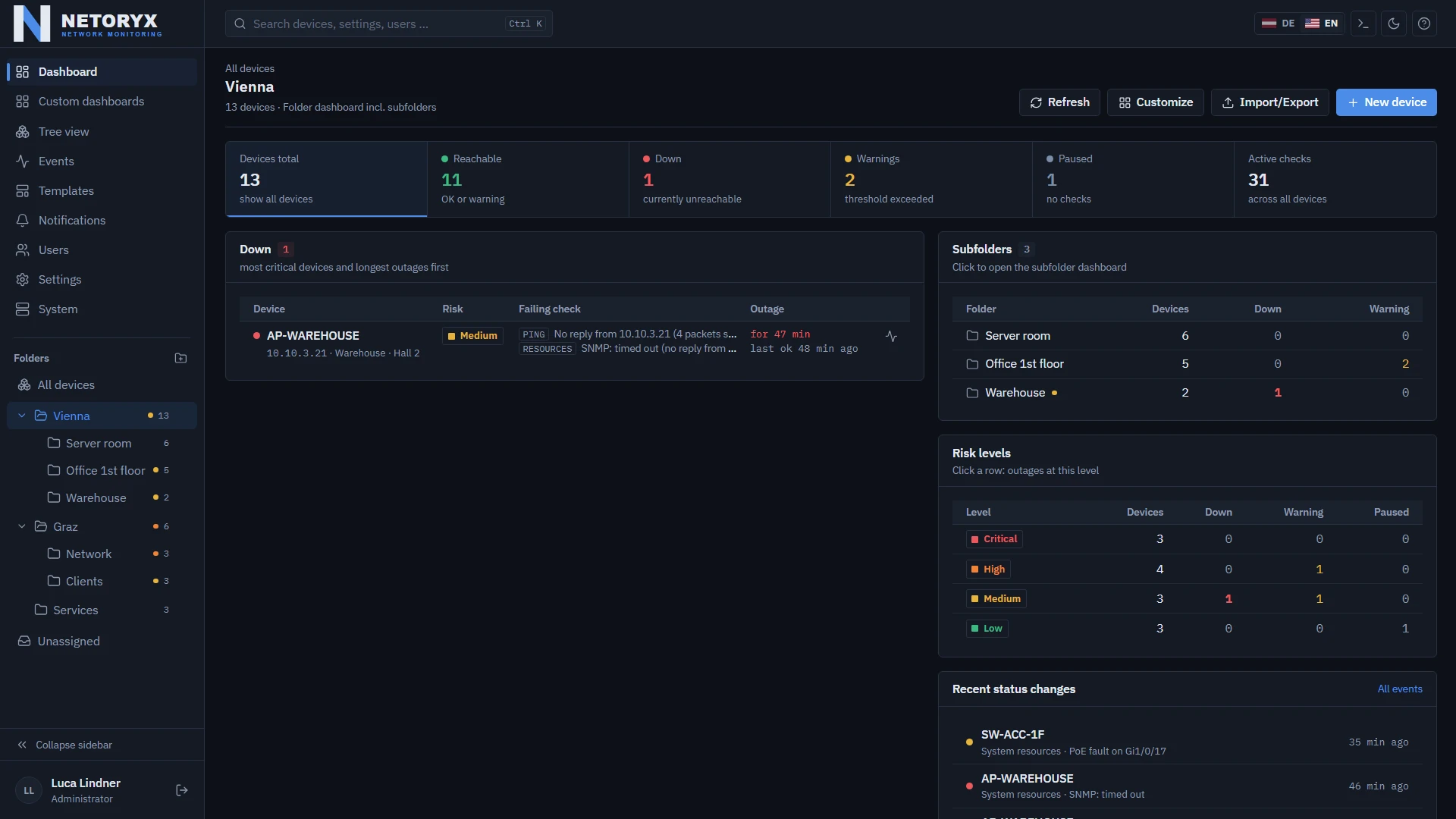
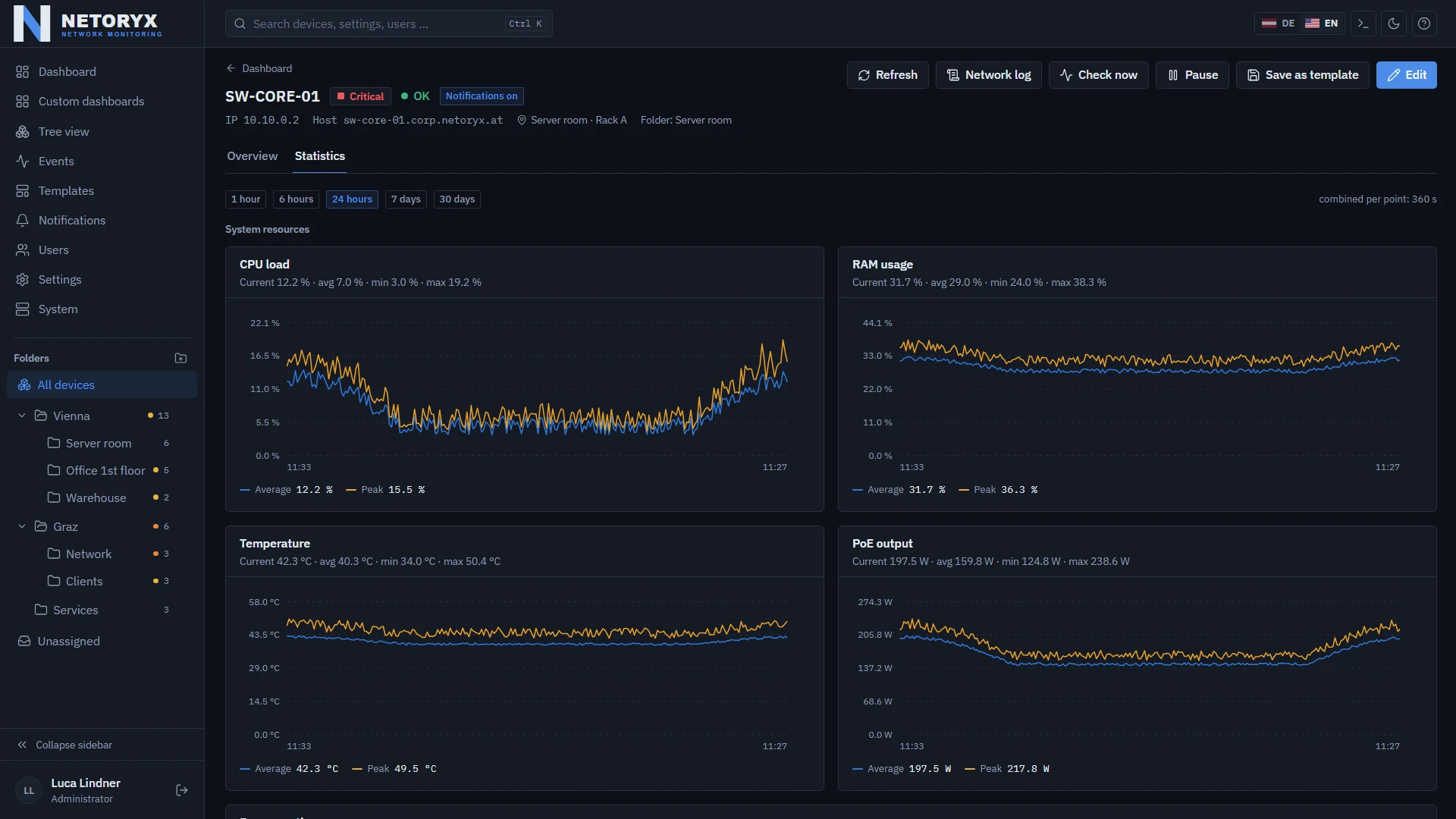
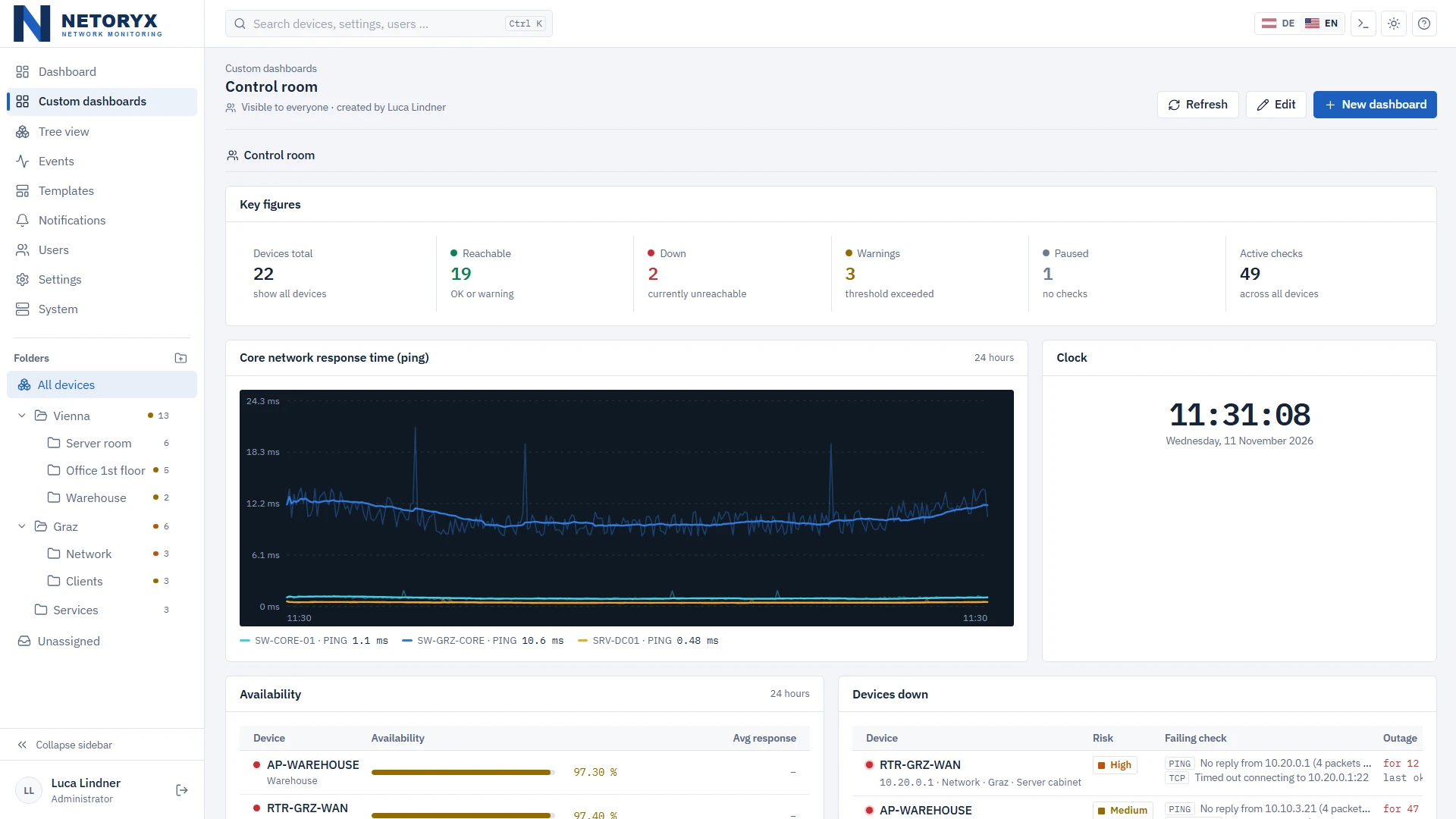
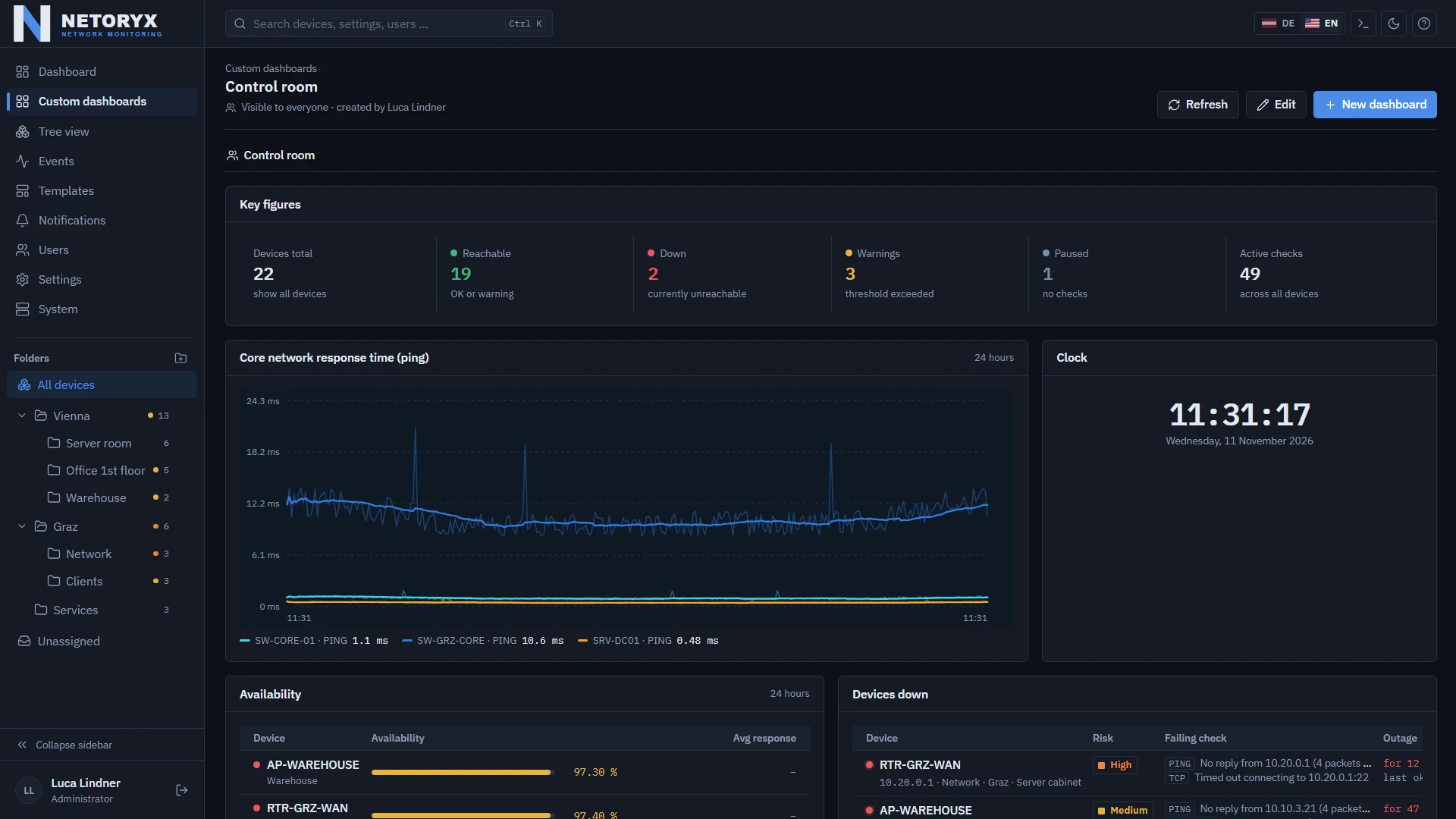
Real screenshots of the interface – in light or dark design, matching your setting.
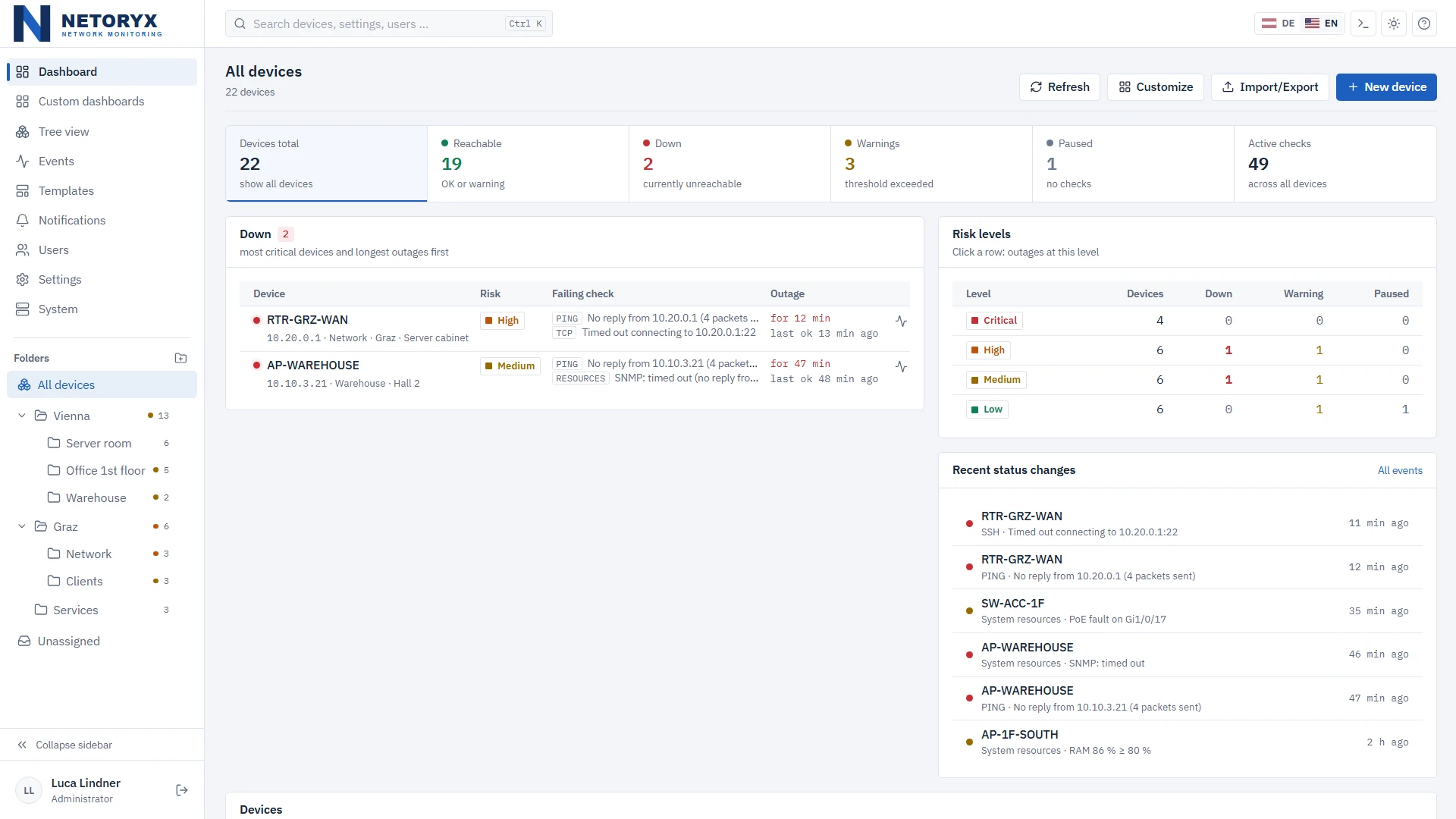
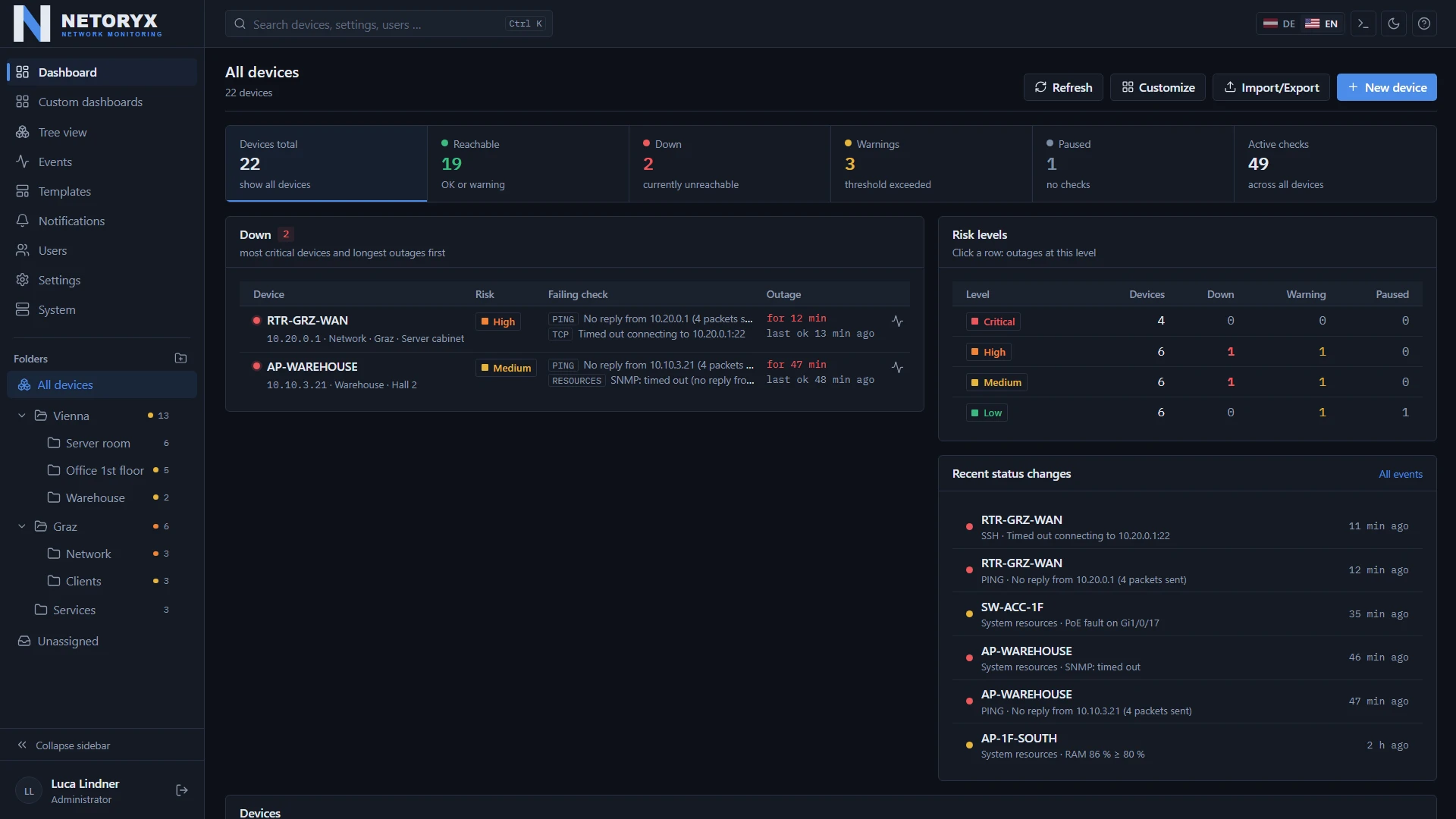
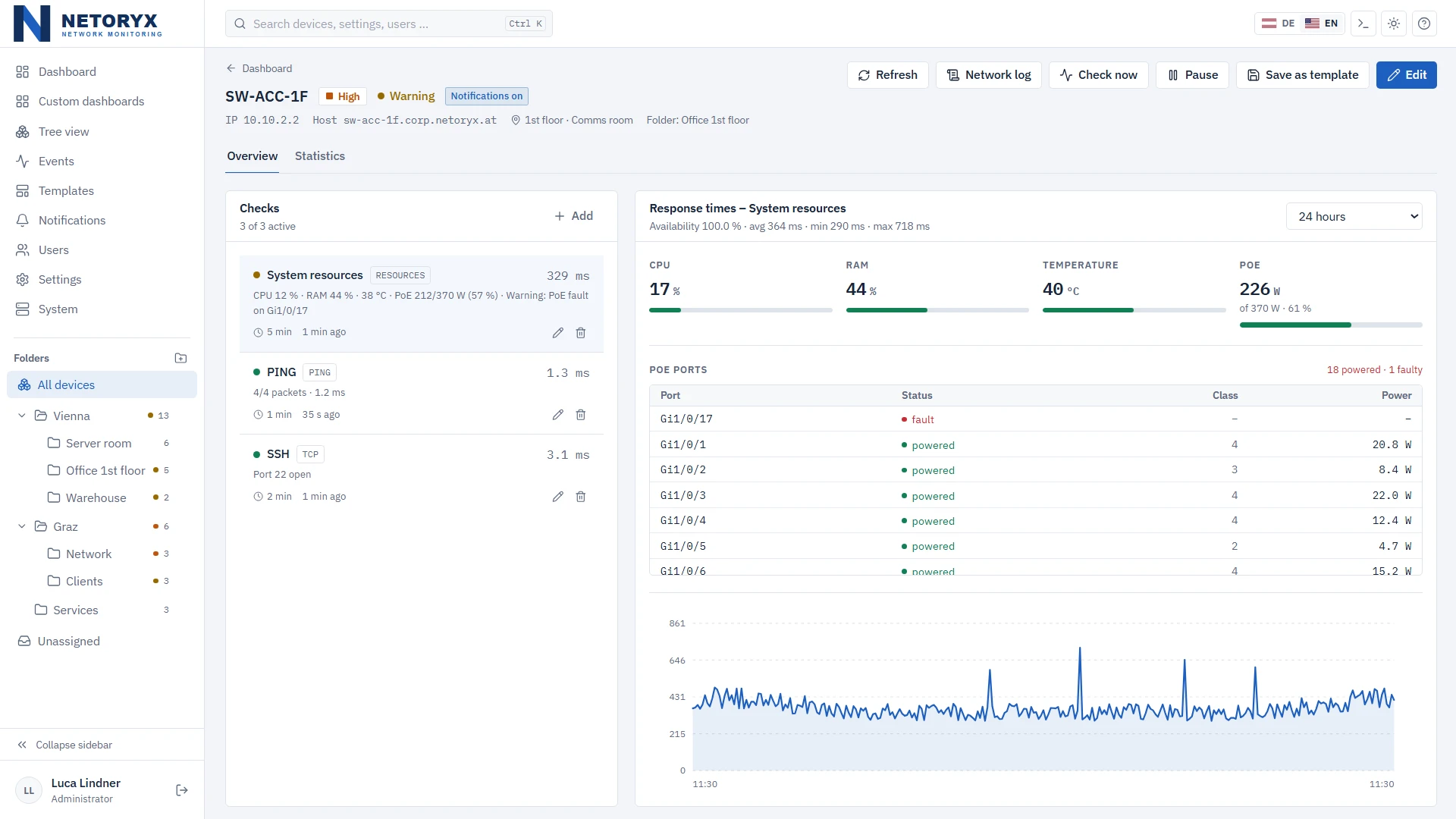
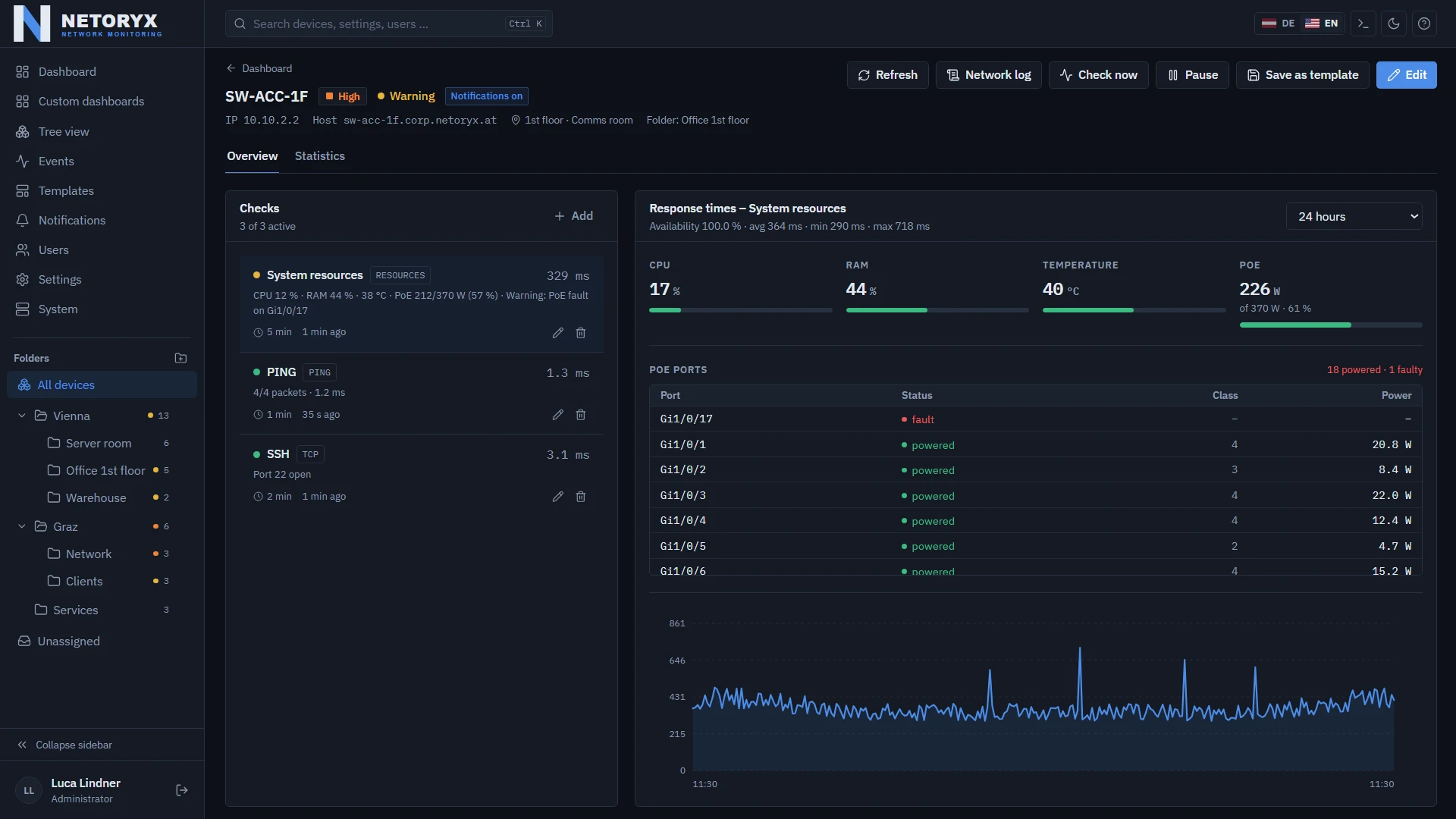
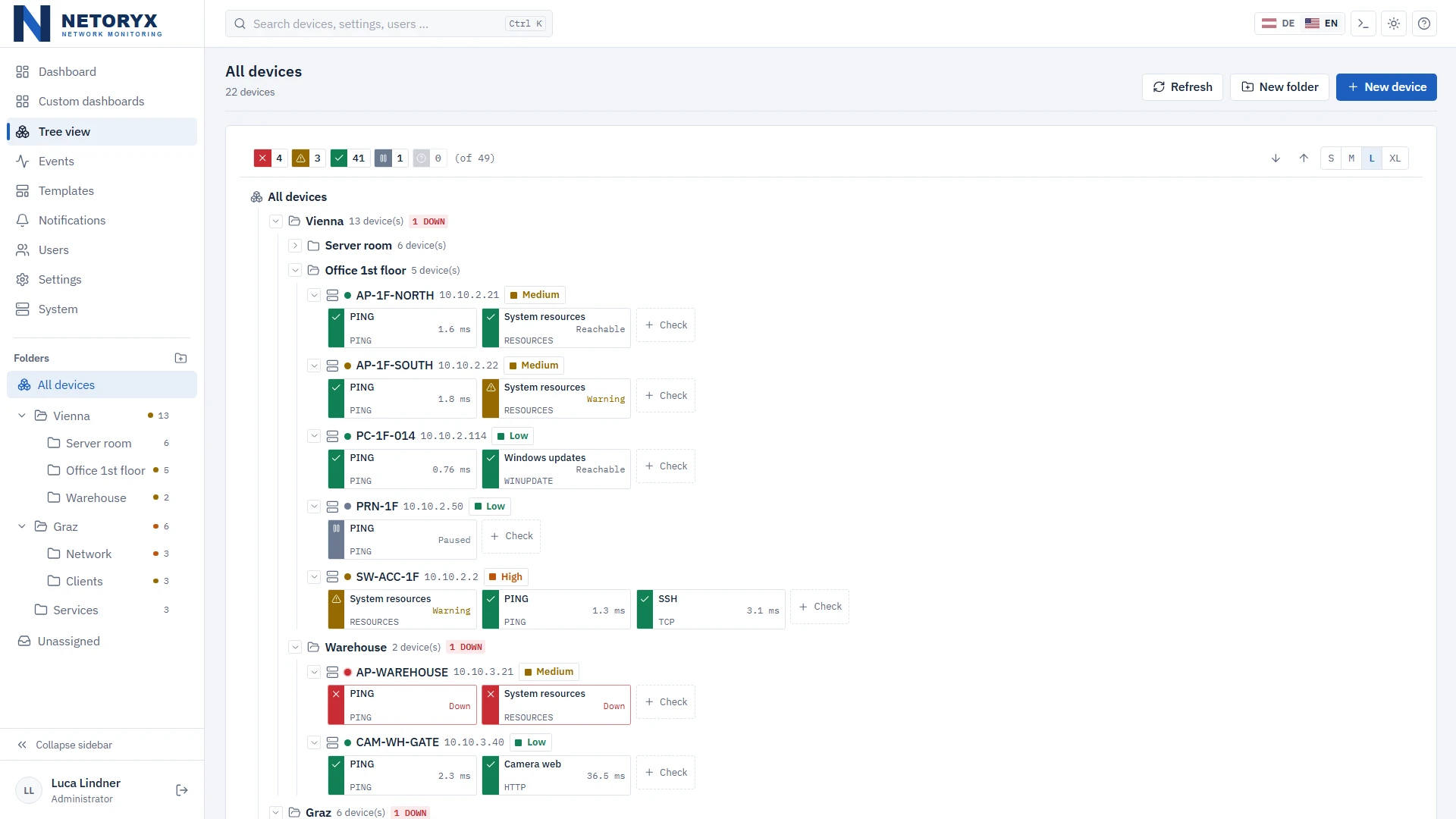
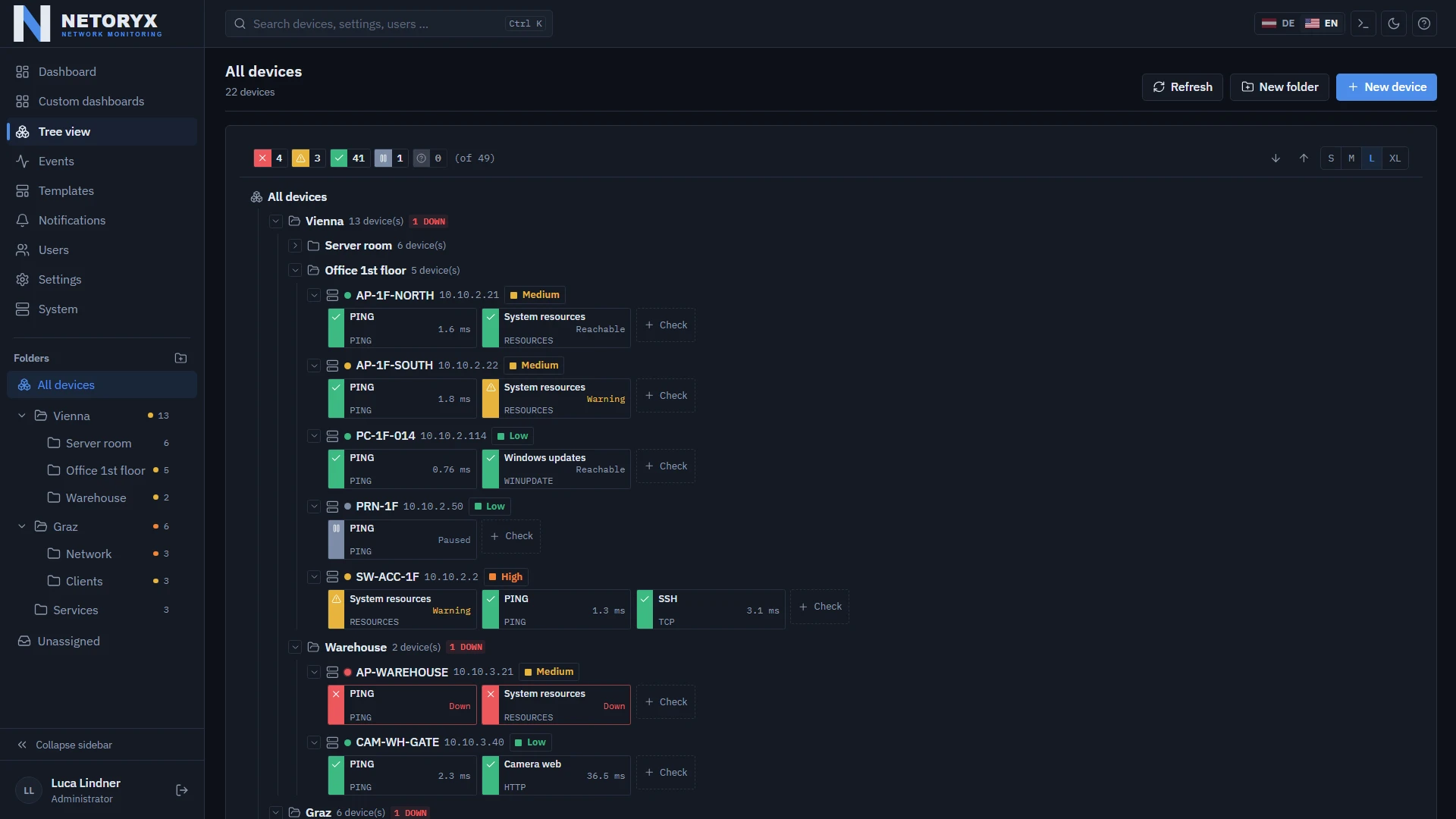
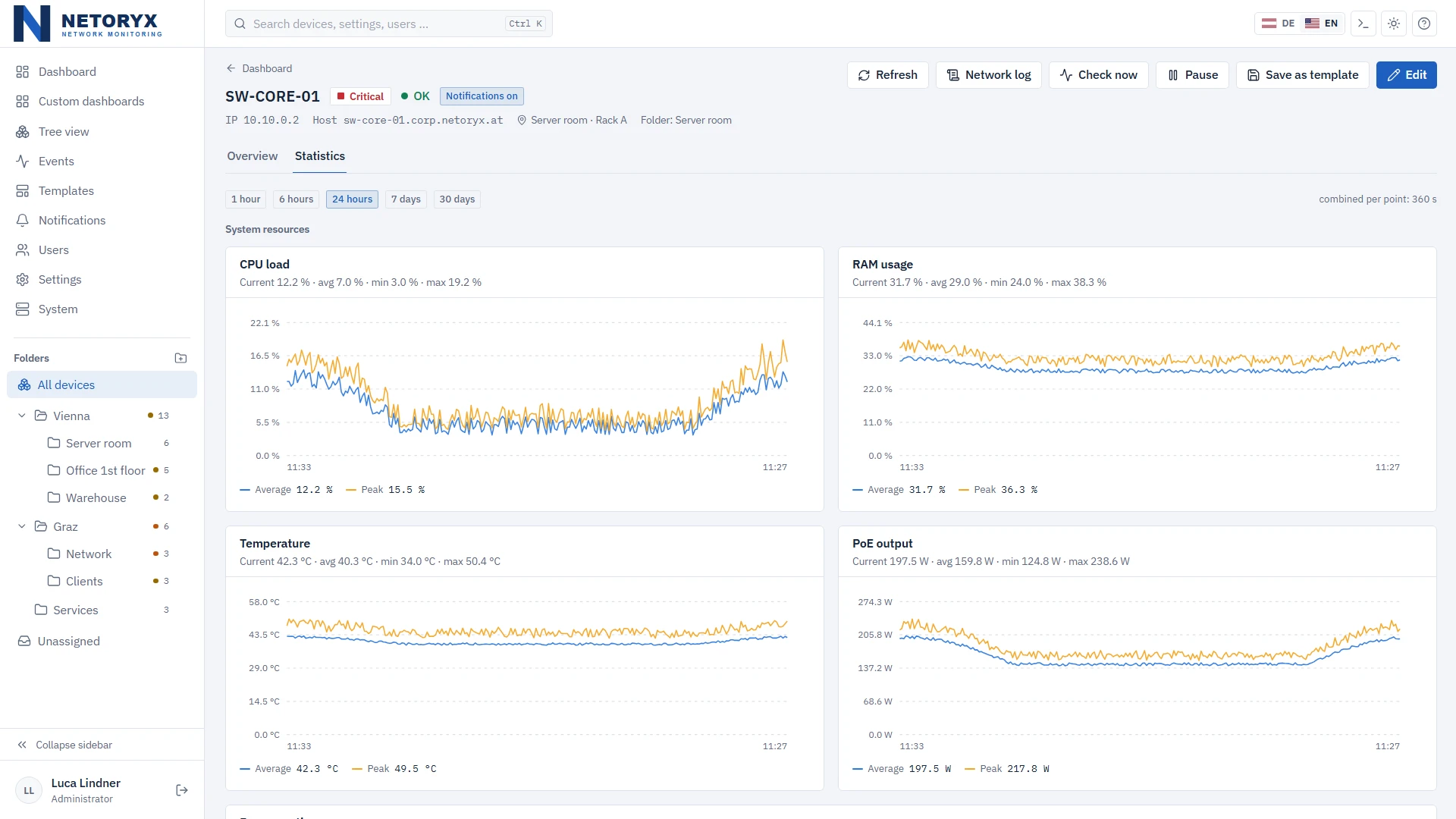
The overview of your whole network – at a glance.
Folders → devices → one colored tile per check. Problems jump right out.
History for every device – from 1 hour to 30 days.
Build your own control room – for the screen in the server room or just for you.
One click on a folder – and the whole dashboard shows only this site, including all subfolders.
The device page shows everything at once: checks, response times and system resources – for switches also the PoE output.
Screenshots from NETORYX with made-up sample data (interface shown in German).
Next
Checks, statistics, alerts, dashboards and more.
How frontend, backend and checks work together.
GDPR, DSG and everything that protects NETORYX.
All screenshots of the interface and the diagrams.
Current version and all previous versions.
Install or update – step by step.
Ask questions, share ideas, report problems.
Who is behind NETORYX – and why.
Free to use – in companies too.
Download, install, sign in in the browser – and every device is in sight.